Generating a dataset
The first step will be to create a synthetic dataset on which the network will be trained. To do so, go to:
cd path/to/plasmanet/examples/dataset
Please note that further scripts and config files to generate different datasets can be found at:
cd path/to/plasmanet/PoissonSolver/datasets
Two types of dataset can be created by default (many more can also be created modifying the existing scripts …), which are:
Random dataset (
rhs_random.py)Fourier dataset (
rhs_fourier.py)
On the random dataset we will choose a parameter c that will stablish the minimum structure size on the domain (in number of pixels).
For example, if the desired domain is of size 101x101 and we choose c=16, we will generate a random field of size (101/8 x 101/8 ~ 12x12)
and then reinterpolate it to its original size 101x101. To create a dataset of size 101x101 and c=16, two things must be done.
Edit your train.yml config file to specify the desired output path (preferibly just outside the plasmanet repo),
number of fields in the dataset and domain sizes, and launch the following command:
python3 rhs_random.py -c train.yml -nr 16 -nn 101

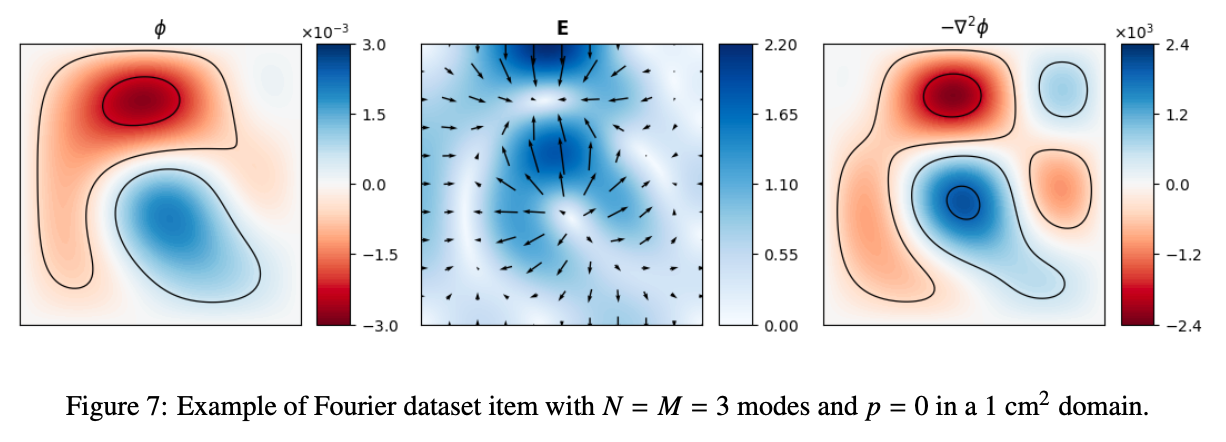
The fourier dataset is created by reconstructing a field randomly choosing the amplitudes of a given number of fourier modes.
We will choose a max number of modes N and a decreasing power factor p that mimics the high-frequency damping
of physical solutions. To create a fourier dataset the procedure is quite similar. Correctly modify
the the train.yml file and then, for a 101x101 dataset with 3 fourier modes and p=0
python3 rhs_fourier.py -c train.yml -nn 101 -nmax 3 -dp 0